Camtasia 2026 26.2.1.19299 – Professional Screen Recorder & Video Editor
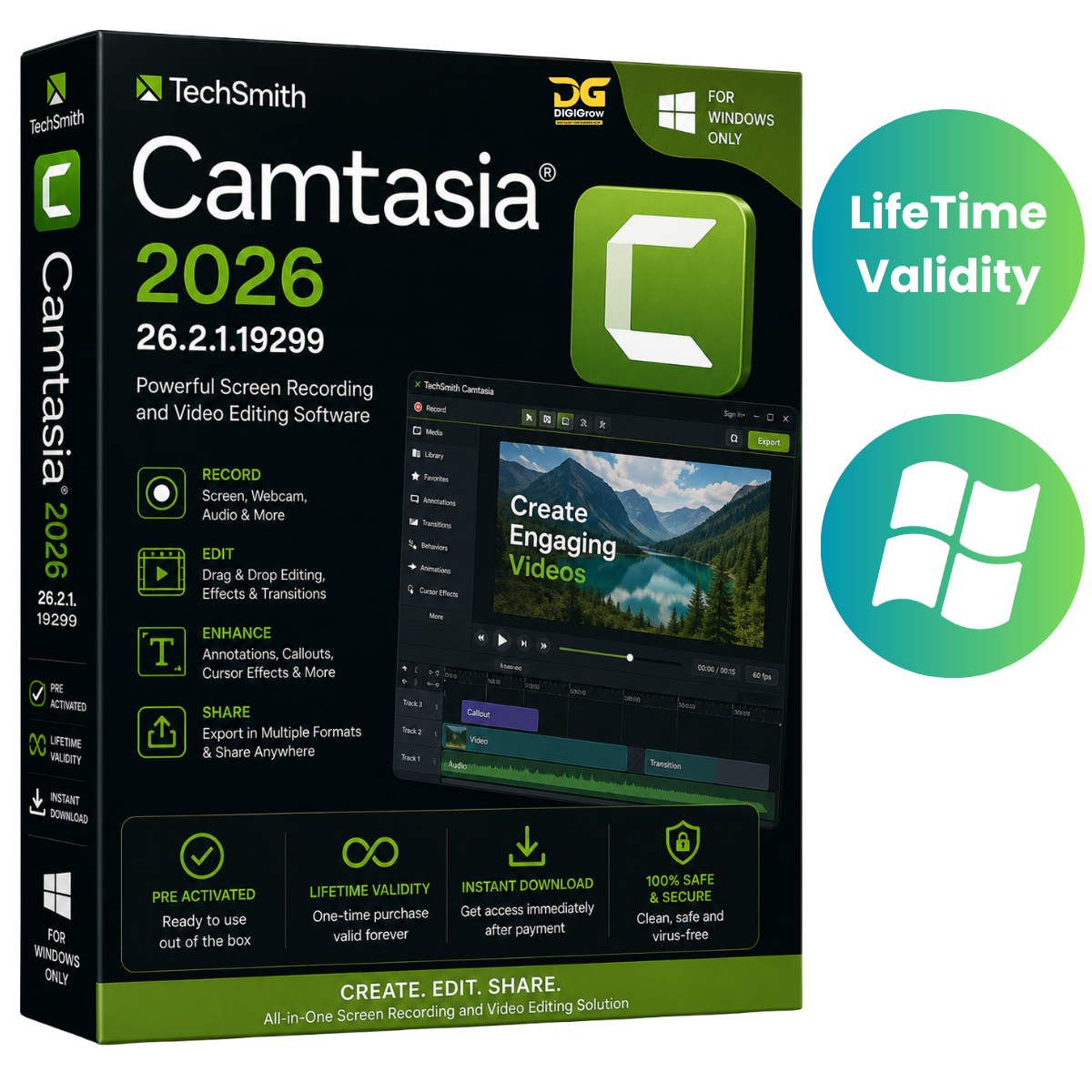
Camtasia 2026 26.2.1.19299 by TechSmith is a professional screen recording and video editing solution for creating tutorials, training videos, software demonstrations, presentations, educational content, YouTube videos, and business projects.
Record your screen, webcam, microphone, and system audio, then edit everything in one convenient timeline-based workspace.
Why Choose DIGIGrow?
- Easy to Install
- Instant Delivery
- 24×7 Live Support
- 100% Money-Back Guarantee
- Installation Video Guide Included
- Professional Screen Recording
- Powerful Video Editing Tools
Record Your Screen in High Quality
Capture your computer screen with support for resolutions up to 4K. Record your screen together with your webcam, microphone, and system audio to create complete video presentations and tutorials.
Camtasia allows different recording sources to be captured separately, giving you greater flexibility during editing.
Professional Video Editing
Edit your recordings using a flexible multitrack timeline. Easily arrange video clips, images, audio, and other media elements to create polished final videos.
Import and work with:
- Video files
- Images
- Audio
- PowerPoint content
- Screen recordings
- Webcam recordings
Annotations & Visual Effects
Make your videos easier to understand with professional visual elements.
Add:
- Callouts
- Arrows
- Shapes
- Text
- Annotations
- Transitions
- Animations
- Visual effects
These tools are especially useful for software tutorials, training material, product demonstrations, and educational videos.
Captions & Accessibility
Create captions for your videos and make your content easier for viewers to follow.
Camtasia supports automatic caption creation from supported audio transcription workflows and provides tools for creating engaging caption-based video content.
Cursor Effects
Highlight exactly where you’re clicking with customizable cursor effects.
Adjust cursor presentation with options for:
- Cursor scaling
- Cursor highlighting
- Cursor replacement
- Click effects
- Recorded cursor movement editing
This makes Camtasia particularly useful for software demonstrations and step-by-step tutorials.
Audio Editing
Improve the sound of your videos with built-in audio editing tools.
Camtasia provides audio enhancement capabilities including background noise reduction, helping produce cleaner and more professional-sounding recordings.
Camtasia Rev
Camtasia Rev provides quick ways to organize recordings and apply layouts and visual styling, helping you move from recording to finished video more efficiently.
Templates and reusable assets can also speed up your video production workflow.
Text-Based Editing
Camtasia supports text-based editing workflows through Camtasia Audiate, making it easier to work with spoken content and refine recorded material.
Camtasia 2026 Version 26.2.1.19299
The 26.2.1.19299 release includes several improvements and fixes, including:
- Improved application startup performance
- Updated LuaBridge from 1.02 to 2.1.0
- Fixed startup crashes affecting certain German and Japanese installations
- Fixed jump-to-time controls for projects longer than one hour
- Fixed crashes that could occur when adding certain customizable assets
- General stability and performance improvements
Who Can Use Camtasia?
Camtasia is suitable for a wide range of users, including:
- Teachers & educators
- Trainers
- YouTube creators
- Marketers
- Software developers
- Business teams
- Course creators
- Technical support teams
Whether you’re creating a software tutorial, employee training course, product demonstration, presentation, or educational video, Camtasia provides recording and editing tools in one workspace.
Installation Guide & 24×7 Support
Getting started is easy with DIGIGrow. Your purchase includes an installation video guide with step-by-step instructions.
If you experience installation or basic setup issues, our 24×7 Live Support team is available to assist you.
System Requirements
Operating System
- Windows 10 20H2 or later, 64-bit
- Recommended: Windows 11 23H2 or later, 64-bit
Processor
- Intel 8th Gen or AMD Ryzen 2000 Series or newer
RAM
- Minimum: 8 GB
- Recommended: 16 GB
Graphics
- Minimum: 2 GB GPU memory
- Recommended: 4 GB GPU memory
Storage
- At least 4 GB of available disk space
Get Camtasia 2026 from DIGIGrow
Create professional tutorials, screen recordings, training videos, presentations, demonstrations, and educational content with Camtasia 2026 26.2.1.19299.
DIGIGrow Benefits
Easy Installation • Instant Delivery • Installation Video Guide • 24×7 Live Support • 100% Money-Back Guarantee
Start creating professional screen recordings and videos with a simple, powerful editing workflow.