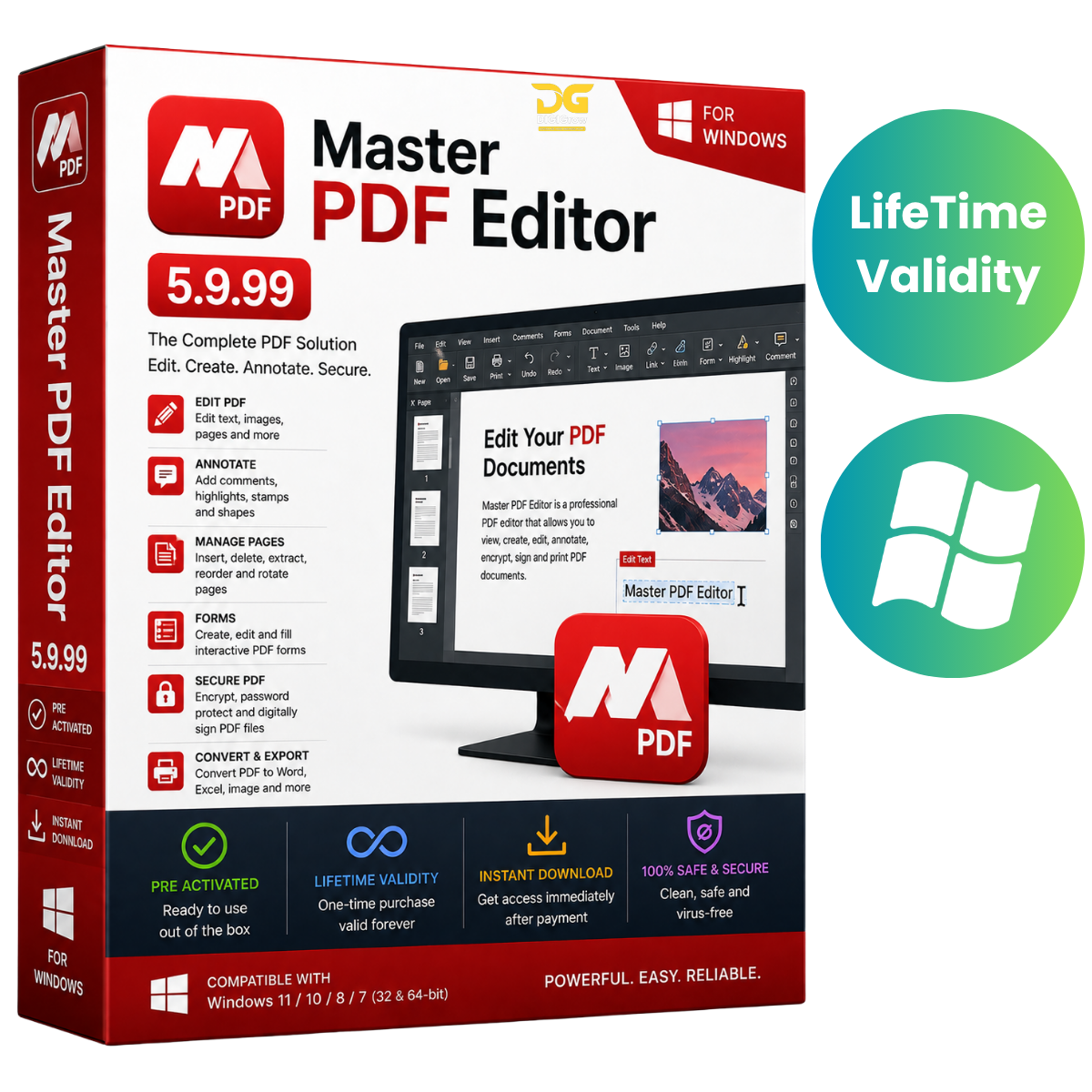
Master PDF Editor 5.9.99 – Professional PDF Editing Software
Master PDF Editor 5.9.99 is a versatile PDF management and editing solution for users who need to create, edit, organize, annotate, sign, and manage PDF documents from a single application.
Whether you are working with business documents, academic materials, contracts, reports, forms, or manuals, Master PDF Editor provides practical tools for everyday PDF workflows.
Why Choose DIGIGrow?
- Easy to Install
- Lifetime Valid
- Instant Delivery
- 24×7 Live Support
- 100% Money-Back Guarantee
- Installation Video Guide Included
Professional PDF Editing
Master PDF Editor makes it easy to work with existing PDF documents and create new PDF files. Edit supported text and images, organize pages, add annotations, and prepare documents for printing or digital distribution.
Edit Text & Images
Modify supported text and image content directly within PDF documents. This is useful for updating reports, correcting information, revising forms, and maintaining documents that require regular changes.
Complete PDF Page Management
Organize lengthy PDF documents with convenient page-management tools.
You can:
- Insert pages
- Delete unwanted pages
- Rotate pages
- Extract selected pages
- Rearrange page order
- Combine supported documents
- Organize multi-page PDF files
Annotations & Document Review
Add useful review elements to your PDF documents, including:
- Comments
- Notes
- Highlights
- Stamps
- Other supported annotations
These tools are useful for proofreading, academic work, document reviews, and business collaboration.
Interactive PDF Forms
Create and manage interactive PDF forms with supported form elements. Prepare structured documents for applications, questionnaires, business processes, and information collection.
Bookmarks & Navigation
Add and manage bookmarks to make longer PDF documents easier to navigate. Organize important sections and help readers quickly move between different parts of a document.
Signature Tools
Use supported signature features to assist with digital document workflows, approvals, and document management.
PDF Security & Document Settings
Manage supported document properties, permissions, and security settings to help control how PDF documents are handled and distributed.
Key Features
- Professional PDF creation and editing
- Text and image modification
- PDF page organization
- Page insertion, deletion, rotation, and extraction
- Document merging
- Annotations and review tools
- Interactive PDF form creation
- Bookmark management
- Signature-related tools
- PDF security and permission options
- Printing and document output controls
Suitable for Business, Education & Everyday Use
Master PDF Editor can be useful for a wide range of users, including:
Business Users: Create reports, contracts, forms, proposals, and professional documents.
Students & Teachers: Prepare academic documents, study materials, assignments, and research PDFs.
Everyday Users: Edit, organize, annotate, sign, and manage PDF documents from one convenient application.
Easy Installation & Support
Getting started with Master PDF Editor is simple. DIGIGrow provides an installation video guide to help you through the setup process.
If you need assistance, our 24×7 Live Support team is available to help with installation and basic setup questions.
System Requirements
- Operating System: Compatible Microsoft Windows operating system
- Processor: Intel or AMD compatible processor
- RAM: 2 GB minimum; 4 GB or more recommended
- Storage: Sufficient free space for installation and PDF documents
- Display: 1024 × 768 resolution or higher recommended
- Additional: Larger or graphics-intensive PDF files may require additional system resources
Get Master PDF Editor 5.9.99 from DIGIGrow
Take control of your PDF workflow with professional tools for editing, creating, organizing, annotating, signing, and managing PDF documents.
DIGIGrow Benefits
Pre-Activated • Lifetime Valid • Instant Delivery • Easy Installation • Installation Video Guide • 24×7 Live Support • 100% Money-Back Guarantee