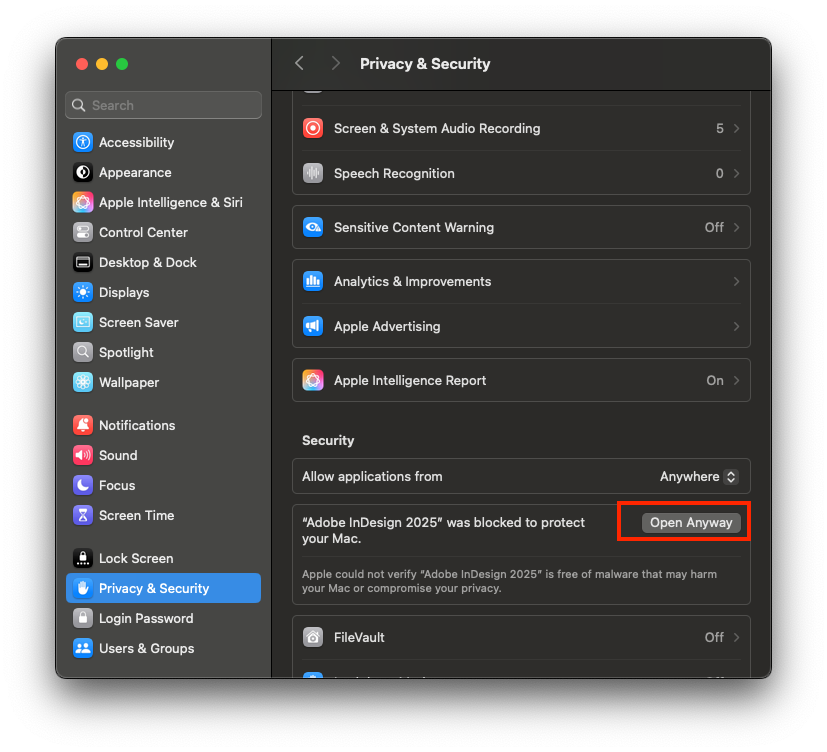
Download
How to install & activate
Step 1. Install Creative Cloud
Step 2. Right click and select Open to run the Install file (of course, you must turn off gatekeeper first). For example, if you can’t open it, right click on the Install file> Select Show Package Contents > Contents > MacOS > Run the Install file.
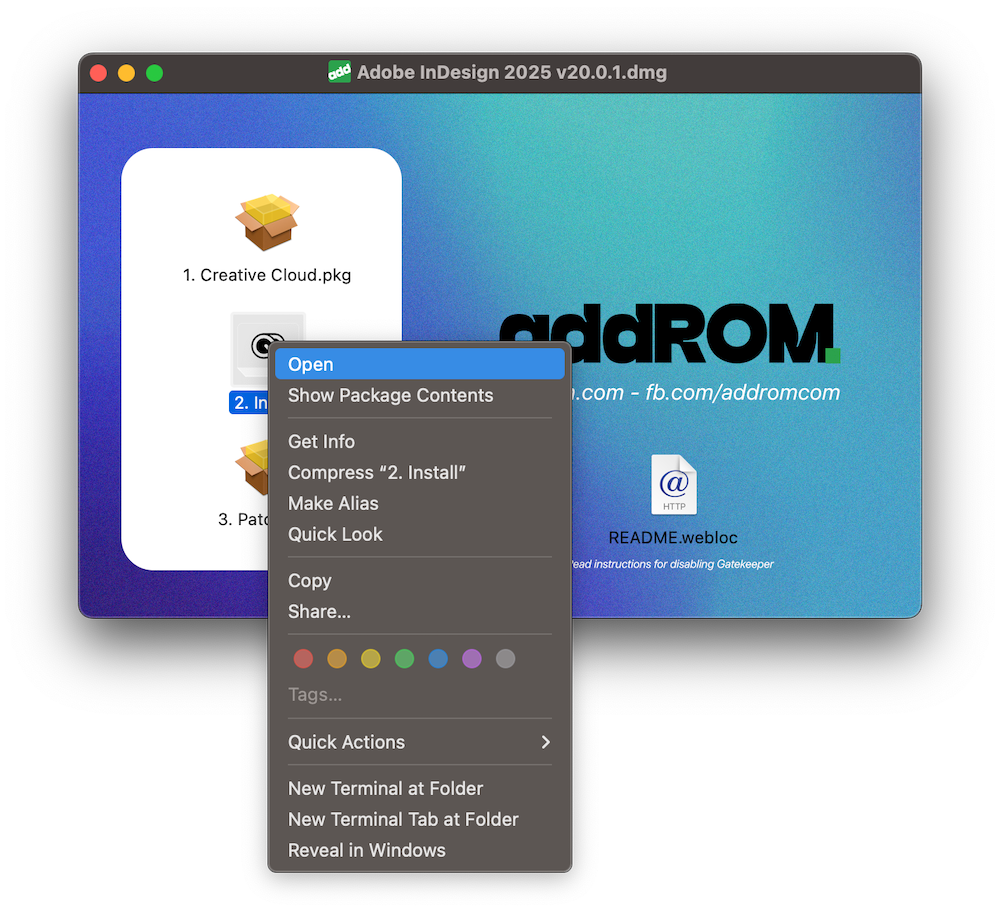
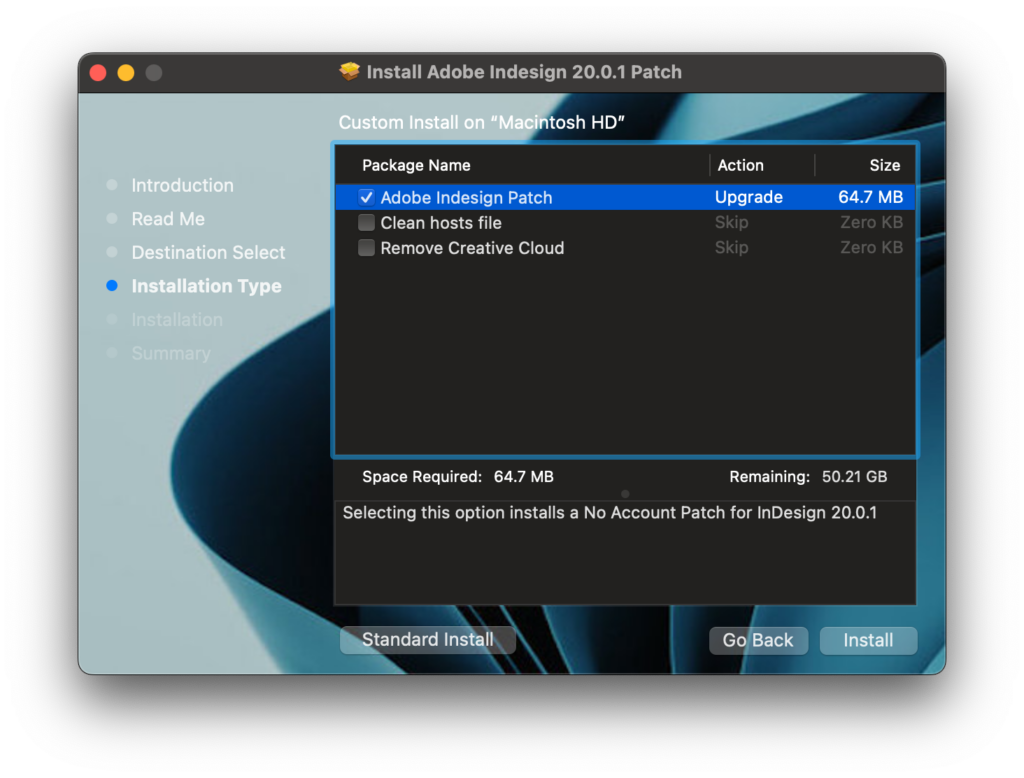
Step 3. Right click and select Open to run the Patch file installation. When installing, select as shown. If you have previously installed many methods or many other versions, stick clean host.
Then open it will report damaged error. If macOS 15.1 or lower, turn off Gatekeeper or run the command xattr -cr
xattr -cr /Applications/Adobe\ InDesign\ 2025/Adobe\ InDesign\ 2025.appIf macOS 15.1 or later, go to System Setting > Security & Privacy and press